Every match.
One single window.
Open your existing match sources in one customizable visual grid. All visible at the same time — no tab switching, no missed goals.
DashPane: a customizable multiview workspace for the web.
Windows 10/11 · 64-bit · macOS and Linux coming soon
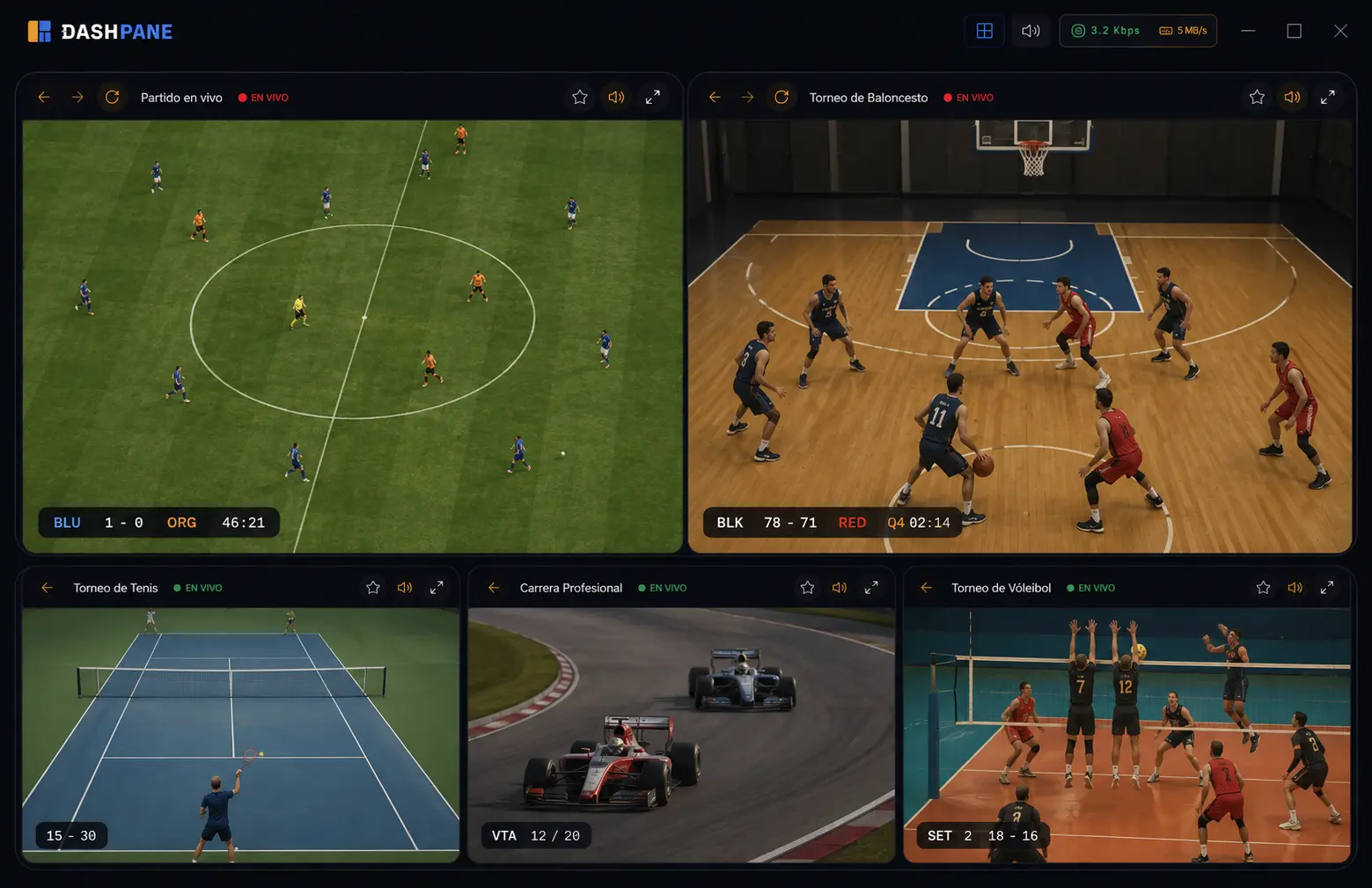
Double matchday. Championship final. League night in parallel.
— and you switching tabs the whole time.
DashPane organizes all your matches in a visual space designed by you. One layout. One click. Never miss a moment.
Every match. Visible at once.
Design a grid with as many matches as you need. All loaded, all visible, no context switching. You see the goal the moment it happens.
Hear what matters. Mute the rest.
Per-panel audio control. One click mutes or unmutes any stream. One global hotkey silences all. Noise is optional.
8 active matches. 4 on screen.
Keep more sources loaded in the background. Swap any one into view in under a second — no reload, no missed moment.
Your matchday setup. One click.
Configure your ideal view: four streams, the table, an analysis feed. Save it. Next matchday opens exactly the same.
Your matchday, drawn your way.
Drag to create the areas: the main match large, the others above, the table below. Save it and next matchday opens exactly the same.
It's all keyboard-driven. Everything is one shortcut away.
The command palette opens any feature without hunting through a menu. Type, Enter, done.
- Quick access. Save the sites you open every time and load them into a panel with one click.
- Layout manager. Rename, duplicate, and reorder your saved configurations.
- Presentation mode. F11 hides the entire interface: only the content stays on screen.
- Global mute. One shortcut mutes the audio on every panel at once.
Cheaper than one bad bet.
Start free. Pro is a one-time launch payment.
Enough for a fixed three-source setup.
Download free- 3 panels at once
- 5 preset layouts
- No background source rotation
- No grid designer
Launch batch price. Goes up once it closes.
One-time payment via Mercado Pago. Instant activation.
- Everything in Free, plus:
- Up to 16 simultaneous matches
- Custom grid designer
- Background rotation
- Saved layouts per matchday
Download DashPane
Lightweight installer. No account, no card, no time limit.
Having trouble opening the app? On Windows: click "More info" → "Run anyway". There's no mobile installer: DashPane is a desktop app.
Frequently asked questions
What's the difference between Free and Pro?
Free opens three panels with preset layouts. Pro goes up to 16 simultaneous feeds and adds the grid designer and background source rotation. Pro is priced as a launch one-time license ($49.900 COP): the features are identical.
Why can't I pay yet?
We're finishing setup with our payment processor. You can reserve your license with your email: we'll notify you the moment payments open and you keep the $49.900 COP launch price.
Is the license per computer?
Yes: a lifetime license activates DashPane Pro on one computer, updates included, no monthly fee.
How much does it use with several sources open?
It depends on the content: a panel with live video weighs a lot more than a static page, and your machine matters too. As a reference, each panel runs around 100MB of RAM. The bar's monitor shows real consumption at all times, so you can always decide what to keep open.
What if it doesn't work for me?
The Free version never expires, so you can try the full flow before paying.
Ready when you are.
One-time payment, instant Pro access — no subscription, no waiting.